Troubleshooting
If nothing here helps, report it, see Feedback.
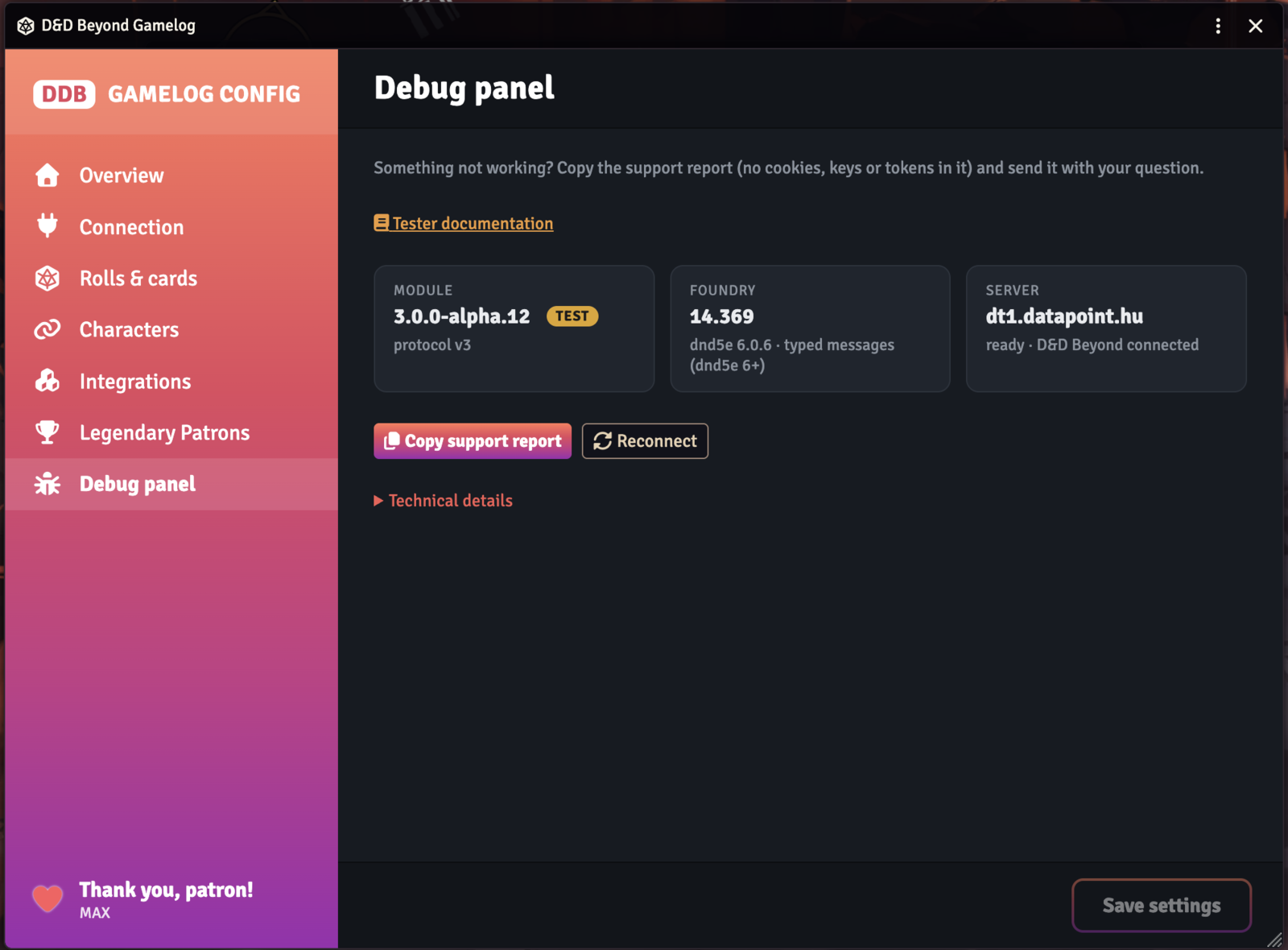
Before you report a problem, open Gamelog Config → Debug panel and use Copy support report. It contains no cookies, keys or tokens. Paste it into your report.
Then press F12 in the browser that runs Foundry and look at the Console tab. Red lines there usually say what went wrong, and they belong in your report, see Feedback.
It does not connect
Open Gamelog Config → Connection and read the message. Common ones:
| Message says | What to do |
|---|---|
| D&D Beyond rejected the cobalt cookie | Log in on dndbeyond.com again and copy a fresh CobaltSession value, see below. |
| D&D Beyond refused the campaign | Check that you picked the right campaign and that your account is its DM. |
| The Gamelog server is not reachable | Try again in a few minutes. If it stays like this, ask on Discord. |
| This module version is no longer supported | Update the module, see Install. |
| Your membership is already used by another D&D Beyond account | Ask on Discord. |
| This installation is blocked | Contact support on Discord. |
If none of these fits, check that you meet the requirements.
Only one GM relays
Gamelog reads your D&D Beyond game log through one GM browser at a time: the one that holds the cobalt cookie. That browser is the relay, and every player in the world gets the rolls through it.
The Overview page says whether this browser relays or another GM’s does.
- Close that browser, and rolls stop arriving for everyone until a GM relays again.
- Another GM takes over by pasting their own cobalt cookie on the Connection page.
- Two GMs can both have credentials saved; only one relays at a time.
- Settings that live on the server, like the Discord webhook, are set from the relaying GM’s browser.
ddb-importer sends everything back
If you use ddb-importer’s dynamic sync on a character that Gamelog also updates, Gamelog tells you so.
Both modules then push the same change in opposite directions: Gamelog brings a change from D&D Beyond into Foundry, and ddb-importer sends it straight back. That doubles the traffic to D&D Beyond and can overwrite a newer value there.
Turn one of them off for those characters: dynamic sync in the actor’s ddb-importer settings, or the matching field in Gamelog Config → Characters → Character updater.
Rolls do not arrive
Check these in order:
- You are logged in to D&D Beyond (Connection page).
- You picked the right campaign.
- A GM browser is relaying. Only one GM browser relays at a time. The Overview page tells you whether this browser or another GM’s browser relays. If another GM relays, rolls arrive through that browser.
- The roll is not private. Rolls sent to the DM or to self on D&D Beyond stay private in Foundry.
- The roll type is in your tier. Monster rolls and rolls from the D&D Beyond player app need PRO, see Tiers.
- The character is linked, see Character linking.
If you changed your Patreon membership, the change arrives within seconds and the Connection page updates itself. If your tier still looks wrong a minute later, reload Foundry.
The Patreon login window does not open
Pressing Log in with Patreon opens a small window. Two cases where it does not:
- The Foundry desktop app. It does not open windows for pages outside Foundry.
- A popup blocker. Safari blocks pop-ups by default; Brave, uBlock Origin, AdGuard and similar extensions do the same.
The page then shows Open the Patreon login with a copy button next to it. Click the link, or copy it and paste it into any browser – your phone works too. The login is finished on the Gamelog server, so the world is linked the second you are done, and Foundry updates by itself; you do not have to come back to the same browser.
The link is valid for 10 minutes. If it expires, press Log in with Patreon again for a fresh one.
If you see no link at all and nothing happens, you are on an older build. Update the module, see Install.
The cobalt cookie stopped working
The Connection page says D&D Beyond rejected the cobalt cookie, and rolls no longer arrive.
The usual cause is that you logged out on dndbeyond.com. Logging out ends that session for good: the next login gives your browser a new CobaltSession, and the value Gamelog saved cannot be used any more. The same happens if you log out everywhere from the D&D Beyond account settings, or change your password.
Simply closing the tab, closing the browser or restarting the computer does not do this. The cookie also ages out on its own after a while, so expect to repeat this now and then.
What to do: log in on dndbeyond.com, copy the fresh CobaltSession value, paste it into Gamelog Config → Connection and connect again, see First steps. Your campaign, character links and settings are untouched.
If you have to log out of D&D Beyond, do it between sessions rather than during one, and copy the new cookie before you play.
I upgraded from version 2 and my tier is gone
Version 3 keeps the identifier your world had in version 2, but only when the GM opens Foundry in the same browser that ran version 2. In any other browser, or after clearing its storage, the world gets a new identifier and starts out unlinked.
Log in with Patreon again on the Connection page. One click is enough, and your tier comes back, including a membership you held in the past.
If you had a Discord webhook (PRO), it belongs to the old identifier and has to be set again in Gamelog Config → Integrations → Discord, see Discord.
If the module behaves oddly in other ways after the upgrade, check that v2 was properly uninstalled first, see Install.
The wrong character is linked
- Open Gamelog Config → Characters.
- Find the actor and look at its D&D Beyond character id and how it was linked (manual, ddb-importer or not linked).
- Correct the id, or enter the right one.
A link you made by hand always wins: ddb-importer never overwrites it. If you want to ignore ddb-importer’s ids altogether, turn off Match ddb-importer actors on the Characters page.
See Character linking.
This world is registered to another D&D Beyond account
The full message is: “This world is registered to another D&D Beyond account, so its Patreon link and Discord webhook cannot be used or changed with your login. Rolls still work.”
A Foundry world belongs to the first D&D Beyond account that connects it. Other accounts can still relay rolls, but they cannot use or change the Patreon link or the Discord webhook of that world.
What to do:
- If you only want to relay rolls, you do not have to do anything.
- If you took over this world and the first account is not yours, ask on Discord to have it moved to your account.