Character sync
Tier: PRO.
Changing actors automatically can go wrong. Back up important actors first and report problems, see Feedback.
Character sync keeps your Foundry actors up to date with what happens on D&D Beyond, and lets you act on a roll from the chat card.
| What | Tier |
|---|---|
| Live character and condition updates | PRO |
| Apply damage and healing from cards | PRO |
Characters must be linked first.
Live character and condition updates
Changes to a linked D&D Beyond character, and its conditions, are brought into the Foundry actor while you play. It works in one direction only: D&D Beyond changes Foundry, never the other way round.
These values are synced: hit points (current, maximum and temporary), armour class, exhaustion, inspiration, death saves, experience points, class levels, conditions, resistances, immunities, vulnerabilities and condition immunities.
The settings are in Gamelog Config → Characters, in the Character updater section: one switch for the whole feature, and one checkbox per value in the list above. Everything is on by default, so turn off what you keep track of yourself.
If you use ddb-importer’s dynamic sync
ddb-importer can push Foundry changes back to D&D Beyond. With both features on for the same character, every update Gamelog brings over is sent straight back, which doubles the traffic to D&D Beyond and can overwrite a newer value there.
Gamelog notices this and shows a warning on the Characters page naming the actors concerned, plus a message in chat when it happens. Turn off one of the two for those actors: dynamic sync in the actor’s ddb-importer settings, or the matching field in the Character updater section. See Troubleshooting.
Apply damage and healing from cards
Damage and healing rolled on D&D Beyond arrive as a dnd5e damage card, so the system’s own apply buttons are on it. A GM selects or targets the tokens and applies the damage or healing, as with any dnd5e roll, including half and double damage.
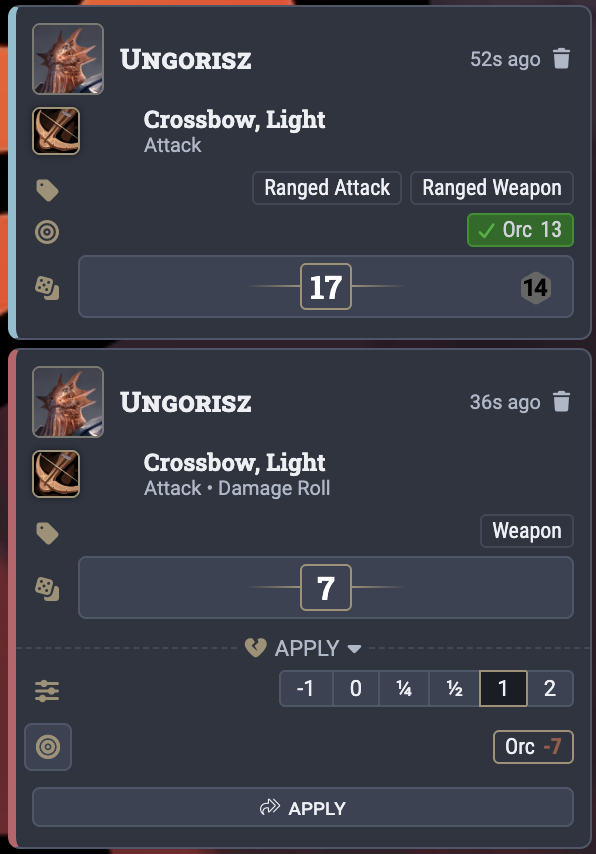
Without PRO the same roll arrives as a plain roll card, without the apply buttons.
Midi-QoL
If you use Midi-QoL, see Integrations.