Discord
Tier: PRO.
Gamelog can post public rolls to a Discord channel.
| What | Tier |
|---|---|
| Discord relay of public rolls | PRO |
Only public rolls are posted. Rolls that stay private on D&D Beyond (to DM or to self) are never posted, and the server checks that again before it posts.
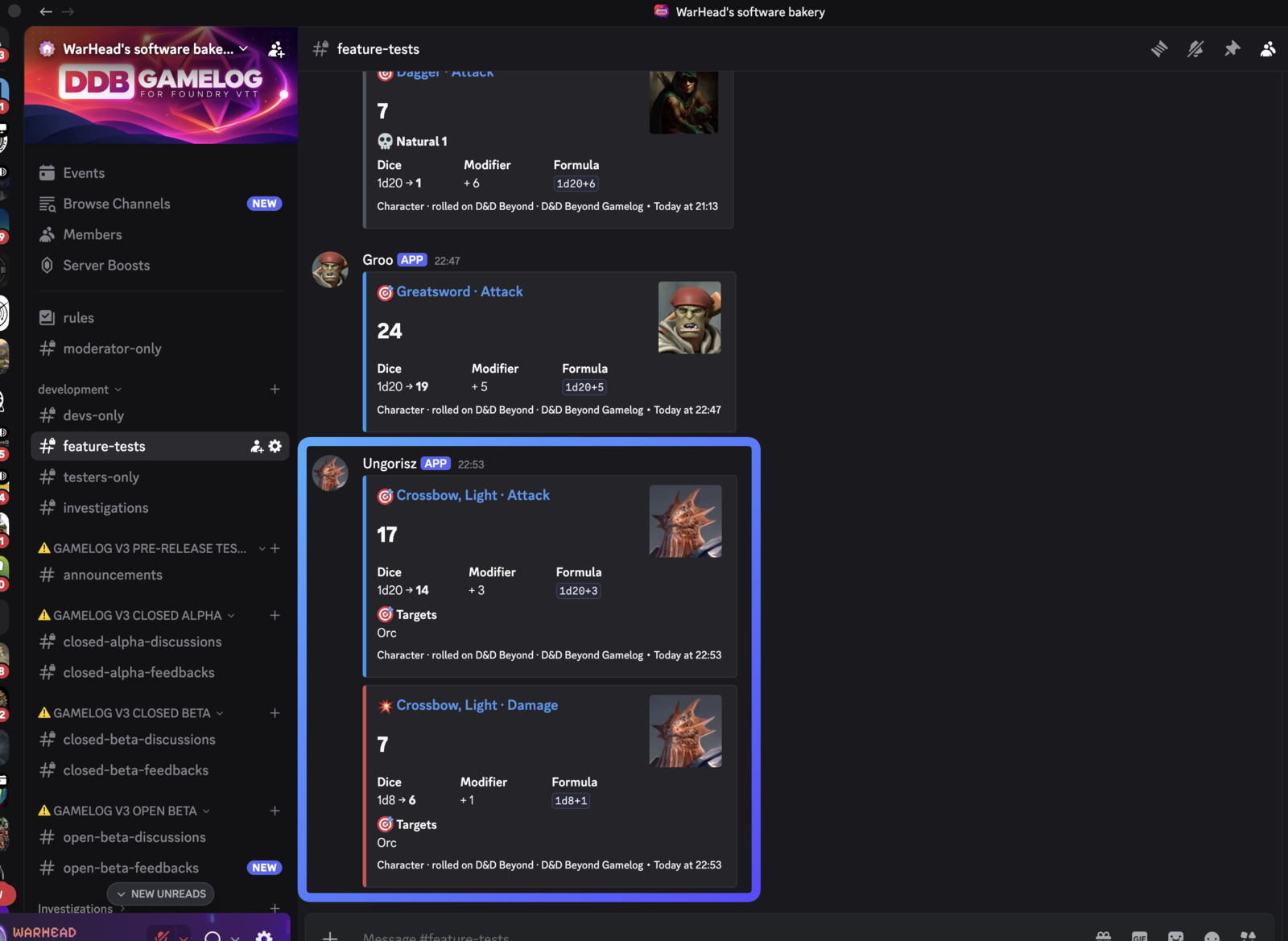
Set it up
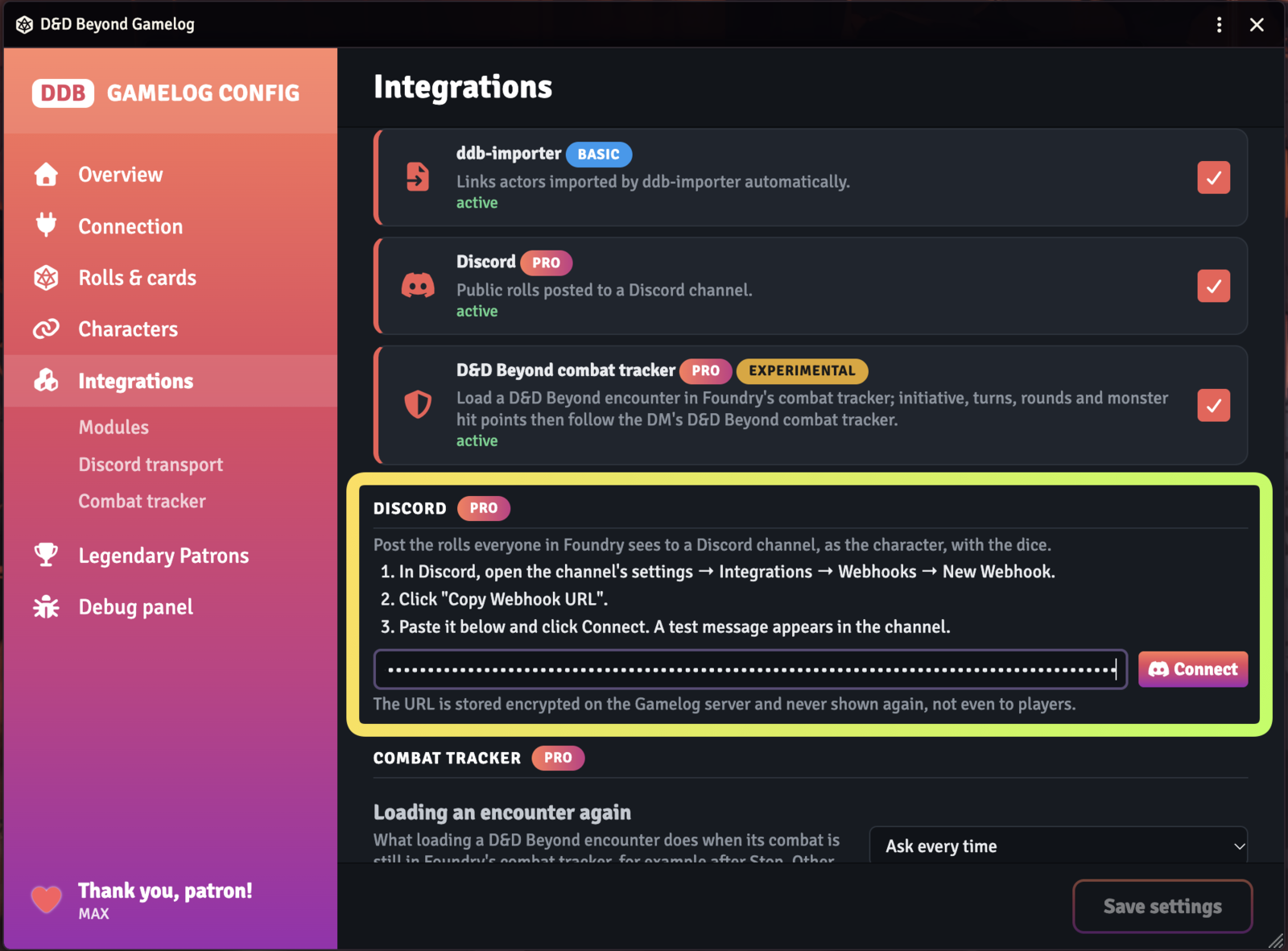
- In Discord, create a webhook for the channel (channel settings, Integrations, Webhooks) and copy its URL.
- In Foundry, open Gamelog Config → Integrations → Discord.
- Paste the webhook URL and save.
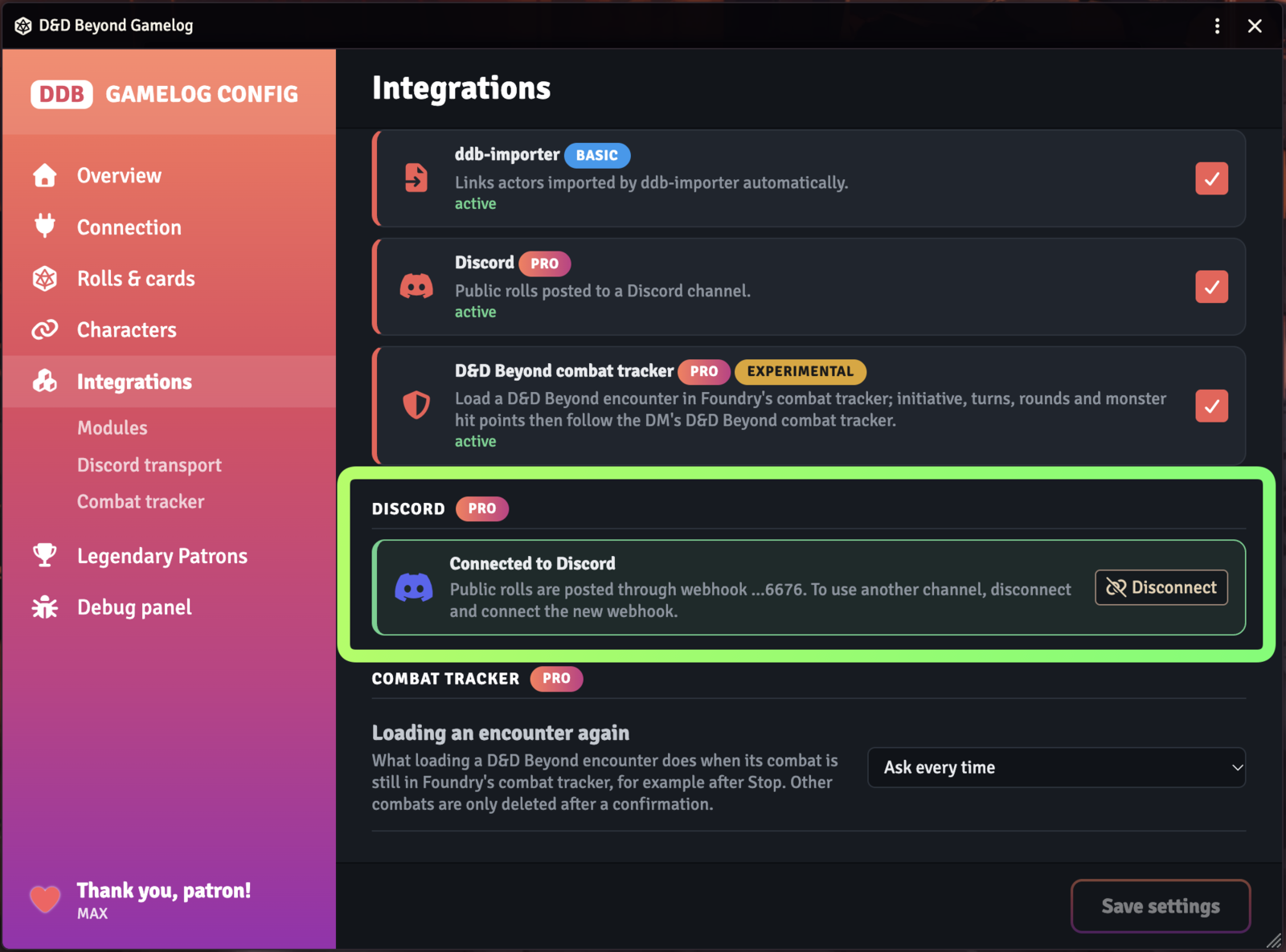
A webhook URL lets anyone post to your channel. Do not share it and do not show it in screenshots.
Upgrading from version 2 can give your world a new identifier, and the webhook belongs to the old one. If posts stop after the upgrade, set the webhook again here, see Troubleshooting.
Who can change it
A Foundry world belongs to the first D&D Beyond account that connected it. Other accounts can still relay rolls, but cannot use or change the world’s Discord webhook. See Troubleshooting.
If you delete the webhook
If you delete the webhook in Discord, rolls are no longer posted. Foundry tells you so. Set a new webhook in Gamelog Config → Integrations → Discord.