Character linking
Tier: Free for manual linking and initiative tracking. Basic for automatic linking of ddb-importer characters.
Character linking tells Gamelog which Foundry actor belongs to which D&D Beyond character. Without a link, Gamelog cannot put a roll on the right actor.
| What | Tier |
|---|---|
| Manual character linking, initiative tracking | Free |
| Automatic linking of ddb-importer characters | Basic |
Link a character by hand (Free)
- Open Gamelog Config → Characters.
- In the Character linking section, find the actor.
- Enter the D&D Beyond character id. It is the number at the end of the character’s address on D&D Beyond: for
https://www.dndbeyond.com/characters/12345678the id is12345678.
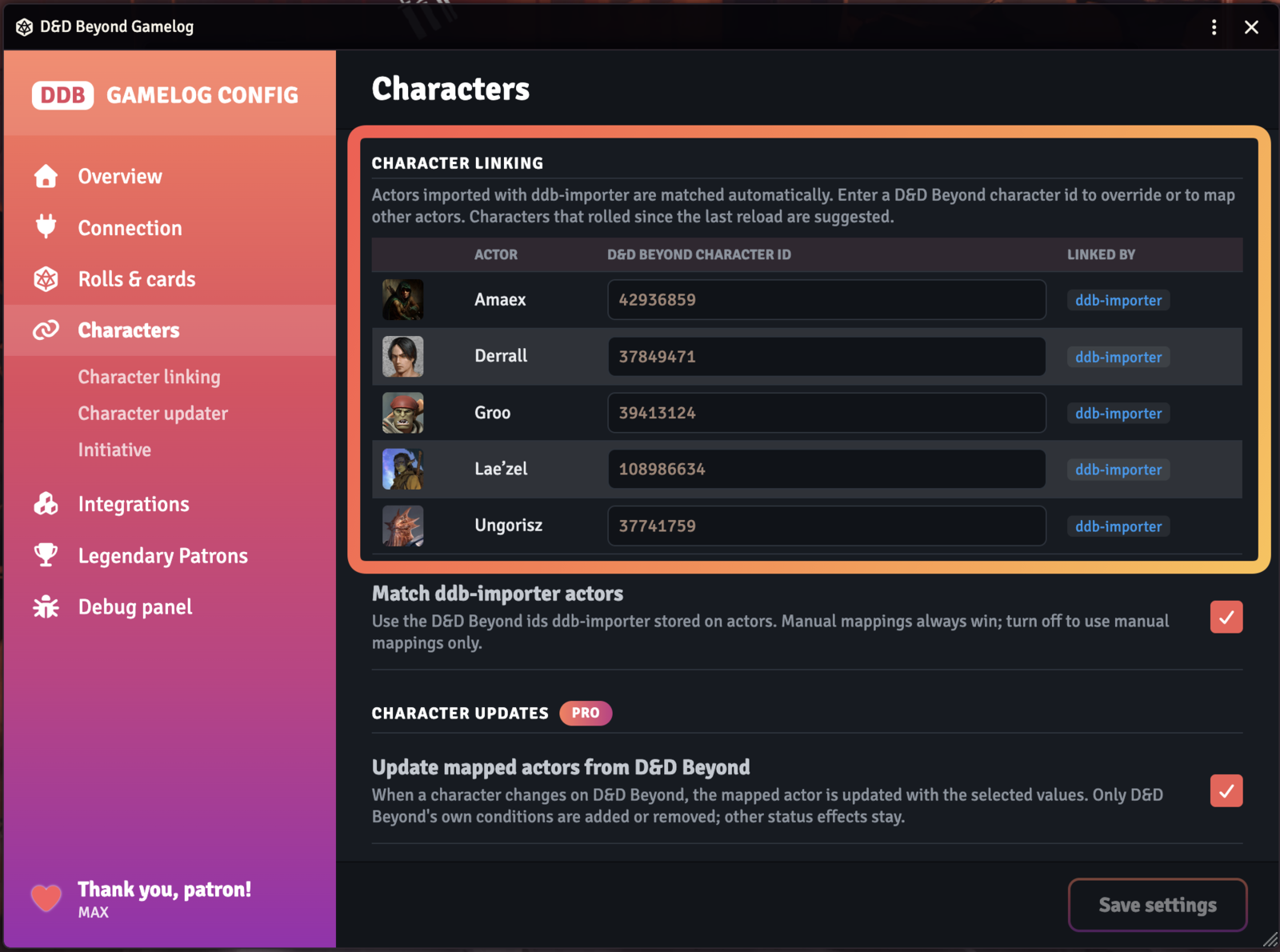
The list shows each actor, its character id and how it was linked: manual, ddb-importer or not linked.
Automatic linking with ddb-importer (Basic)
Actors imported with ddb-importer are linked automatically. You do not have to enter ids.
Match ddb-importer actors on the Characters page turns this on and off. A link you made by hand always wins over the imported id, so you can correct a wrong match without turning anything off. With the setting off, only manual links count.
Initiative tracking (Free)
When someone rolls initiative on D&D Beyond, Gamelog writes that result onto the linked actor’s combatant in the current Foundry combat. It fills a combatant that has no initiative yet, and asks before replacing one that already has a value. Both can be changed on the Characters page.
| Setting | What it does | Default |
|---|---|---|
| Track initiative in combat | An initiative roll from D&D Beyond sets the mapped actor’s initiative in the current combat | On |
| Ask before replacing initiative | When the combatant already has an initiative, a dialog asks before overwriting it. Off means it is replaced silently | On |
While a D&D Beyond encounter is loaded in the combat tracker, initiative comes from that encounter instead, and these settings are switched off.
Wrong character linked?
See Troubleshooting.