Install
Requirements
- Foundry VTT v13 or newer (v13 is the minimum, v14 is verified).
- Game system dnd5e 5.0.0 or newer.
- A D&D Beyond account that is the DM of the campaign you want to connect.
- A Patreon membership if you want features above the Free tier, see Tiers.
Install
- In Foundry, open Add-on Modules and click Install Module.
- Search for DDB Gamelog and click Install.
- Open your world, go to Game Settings → Manage Modules, enable DDB Gamelog and save.
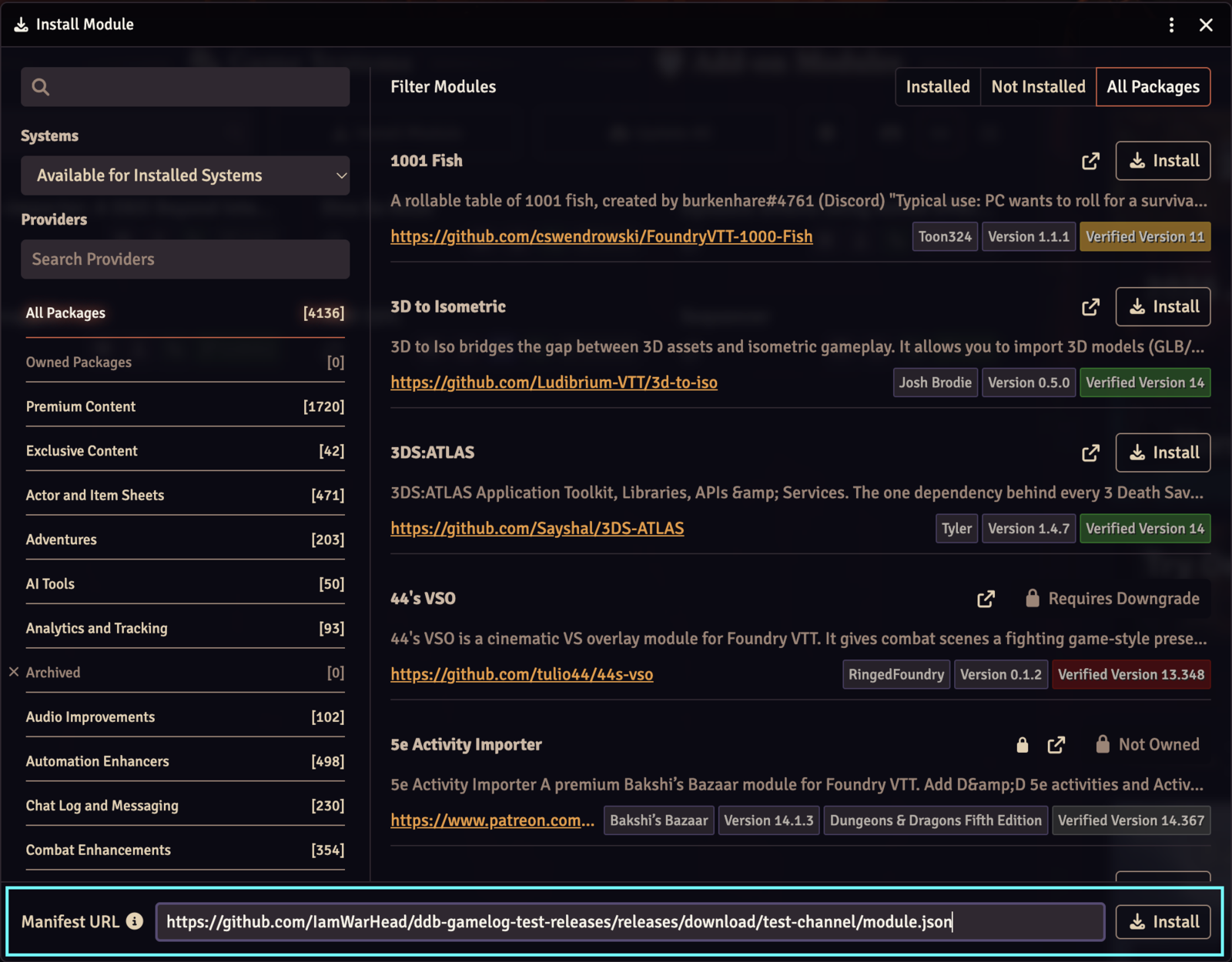
To install from the manifest instead, paste this URL into the Manifest URL field at the bottom of the install dialog:
https://github.com/IamWarHead/ddb-game-log/releases/latest/download/module.json
Next: First steps.
Coming from version 2
Version 3 and the v2 module share the same module id, so Foundry can hold only one of them at a time. If DDB Gamelog is already installed, remove it before you install version 3.
- Back up your world, or make a copy with Duplicate World in Foundry’s Game Worlds list. Version 3 writes to your actors (hit points, conditions, initiative, combats) when you use the character sync, and that is not something you can undo in the middle of a session.
- Close your world, so no world has the module active.
- In Add-on Modules, find DDB Gamelog and uninstall it.
- Restart Foundry if it still lists the old version.
- Install version 3 as described above.
Uninstalling does not touch your world. Your v2 settings and character links stay in it, and version 3 reads them once when it first starts.
Do not install version 3 over v2 without uninstalling first. Foundry may keep the old files, and you end up with a module that half updates and fails in ways nobody can reproduce.
Things that changed:
- The cobalt cookie moves. v2 kept it in the world. Version 3 keeps it only in the GM browser that relays rolls and clears the copy in the world, so it is no longer sent to your players. Paste your cobalt once more in Gamelog Config → Connection, see First steps.
- Link Patreon again. Your world may ask you to link Patreon once more. That is expected and takes one click. Your membership and the tiers you held in the past belong to your Patreon account, so nothing is lost, see First steps.
- More is free. Roll result breakdown, targeted rolls and roll privacy are free for everyone in version 3. See Tiers.
- Modules that rely on version 2. Modules that rebuild v2’s behaviour, such as the DDB Bridge tweaks, are not needed for what Gamelog now does on its own, see Automatisms. The module warns you once if it finds one that only supports v2.
Language
The module follows Foundry’s own language setting, under Game Settings → Configure Settings → Core. English, French, Hungarian, Portuguese (Brazil) and Spanish are available; anything not translated falls back to English.
More languages are on the way, and the translation files will be opened up so the community can add its own. If you would like to translate Gamelog into your language, say so on Discord and you will be told how once it opens.
Update
Update DDB Gamelog like any other module: open Add-on Modules in Foundry and update it. Check the Changelog to see what changed. After an update the GM also gets the welcome window once, on its What’s new step, with what changed since the version that ran before, see The welcome tour.
The module shows its version on its Debug page: Gamelog Config → Debug panel. The sparkle button on that card opens What’s new for the running version.
If the module tells you that your version is no longer supported, update it.
The module also tells you when a newer version is out: the GM gets a popup, and Gamelog Config shows a green banner at the top of every page until you update, with the highlights of the new version. Players never see either. Under Gamelog Config → General → Interface you choose whether the popup shows once per release (the default) or every time Foundry loads.